


Typing for Students | Improve Speed & Digital Literacy
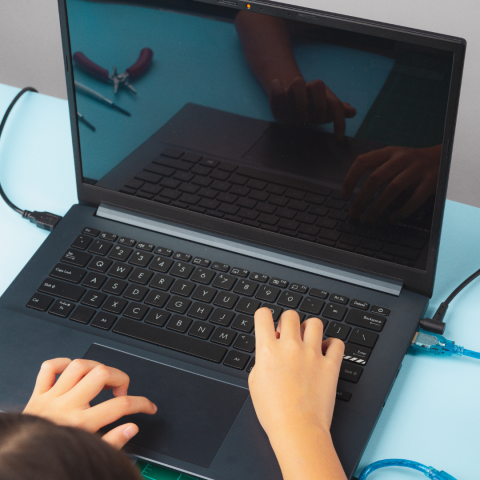
Here at Zeeko, we speak to many schools weekly across Ireland and, in more recent years, across the globe. A topic that has been coming up recently is typing. In today's digital age, proficiency in typing has become an essential skill for students, playing a crucial role in their academic and future professional success. Learning to type efficiently enhances communication and fosters productivity, adaptability, and technological literacy.
Tại sao đánh máy lại quan trọng như vậy?
- Đánh máy thành thạo về cơ bản là đầu vào của thông tin. Với sự phổ biến của các thiết bị kỹ thuật số và internet, sinh viên thường cần soạn bài luận, ghi chú và tiến hành nghiên cứu trực tuyến, nếu không phải bây giờ, chắc chắn trong những năm tới.
- Nắm vững việc đánh máy cho phép họ dễ dàng chuyển suy nghĩ của mình thành các từ viết, tiết kiệm thời gian và thúc đẩy quy trình làm việc hợp lý hơn.
- Tất cả các nghề nghiệp hiện nay liên quan đến một số mức độ sử dụng máy tính và nhiều công việc đòi hỏi nhân viên phải điều hướng các nền tảng kỹ thuật số.
- Khi công nghệ tiến bộ, sinh viên với kỹ năng này có thể dễ dàng thích nghi với các thiết bị và phần mềm mới.
- Trình độ đánh máy đảm bảo sinh viên được trang bị tốt cho nhu cầu của lực lượng lao động thế kỷ 21.
Có một số nền tảng và phần mềm để giúp học sinh học cách gõ chính xác và hiệu quả. Chúng tôi đã thu thập những gì chúng tôi biết trên mỗi nền tảng này và trình bày nó bên dưới.
Kiểu chữ
Typetastic là một nền tảng học tập và phần mềm được thiết kế để dạy học sinh kỹ năng đánh máy. Nó thường được sử dụng trong các môi trường giáo dục, bao gồm cả trường học, để giúp học sinh phát triển thành thạo bàn phím.
Typetastic cung cấp một cách tiếp cận trò chơi hóa để hướng dẫn đánh máy, làm cho quá trình học tập trở nên hấp dẫn và tương tác cho sinh viên. Phần mềm này thường bao gồm các trò chơi đánh máy, bài tập và bài học khác nhau để cải thiện tốc độ đánh máy và độ chính xác. Khía cạnh trò chơi hóa nhằm mục đích làm cho trải nghiệm học tập trở nên thú vị, thúc đẩy sinh viên thực hành và tinh chỉnh kỹ năng đánh máy của họ.
Câu lạc bộ đánh máy
TypingClub là một gia sư đánh máy trực tuyến và nền tảng phần mềm được thiết kế để giúp người dùng, bao gồm cả sinh viên và cá nhân ở mọi lứa tuổi, học hỏi và cải thiện kỹ năng đánh máy của họ. Nó cung cấp một cách tiếp cận toàn diện và tương tác để giáo dục đánh máy cảm ứng. Nó được sử dụng để tích hợp hướng dẫn đánh máy vào chương trình giảng dạy. Người dùng có thể tạo tài khoản để theo dõi sự tiến bộ của họ và các nhà giáo dục có thể quản lý các lớp học và theo dõi sự phát triển đánh máy của học sinh.
Typing.com
Typing.com is an online typing tutor platform designed to help users, especially students, learn and improve their typing skills. It provides a user-friendly interface with various features to make the typing learning experience engaging and effective. Follow Zeeko Education on Facebook!
Frequently Asked Questions
1. What does “Typing for Students” mean?
Typing for Students refers to the process of learning keyboard proficiency — including speed, accuracy, and correct technique — that helps students effectively use digital devices for schoolwork, communication, research, and future careers.
2. Why is typing an important skill for students today?
Typing is a vital digital skill because students frequently use computers and online tools for essays, notes, research, and assignments. Being able to type efficiently saves time, improves workflow, and boosts overall productivity.
3. How does learning typing help students academically?
Typing helps students focus more on their ideas and content rather than struggling with writing speed. It enables smoother research, faster note-taking, and better formatting of schoolwork — all of which support academic success.
4. At what age should students start learning to type?
There’s no strict age, but many children begin typing practice once they can recognise letters and basic words. Early introduction helps build familiarity with keyboards, though progress should be paced to match a student’s comfort and cognitive stage.
5. What are some recommended tools or platforms for student typing practice?
The blog highlights several platforms that support typing education, including:
- Typetastic – gamified typing lessons for engagement
- TypingClub – progress tracking and structured instruction
- Typing.com – user-friendly tutor with various learning features
6. Can typing improve digital literacy beyond keyboard skills?
Yes. Learning typing contributes to broader digital literacy, helping students feel confident using technology, adapting to software, and navigating digital learning environments — essential in today’s tech-driven world.
7. How long does it typically take for students to become proficient at typing?
Typing proficiency varies by individual practice and age. Some students may grasp foundational typing within weeks, while others take longer. Consistent practice, ideally through interactive tools and lessons, accelerates improvement.
8. How can teachers or parents support typing development?
Parents and teachers can:
- Incorporate regular typing sessions into study routines
- Use engaging typing platforms that track progress
- Encourage accuracy before speed
- Celebrate milestones to motivate continued learning
9. Does typing practice help with other computer tasks?
Absolutely! Once students master typing, they spend less time on text entry and more time on critical tasks like research, problem-solving in digital environments, and creating professional-looking projects.
10. Are there accessibility options for students with special learning needs?
Yes. Many typing tools offer accessibility features — such as screen-reader compatibility, adjustable fonts, and supportive layouts — to accommodate diverse learning needs and make typing practice inclusive.
Explore Zeeko’s Home Page to discover our mission on the Về Us Page, innovative Phone Blocking System, and engaging Phoenix Quest 10 programme. We provide Hội thảo An toàn Internet, the Zeeko Report Card, and the Thủ lĩnh phép thuật Choose Country initiative, alongside insights from our Báo cáo xu hướng kỹ thuật số. Stay connected with us on Facebook and Instagram for updates.