


Typing for Students | Improve Speed & Digital Literacy
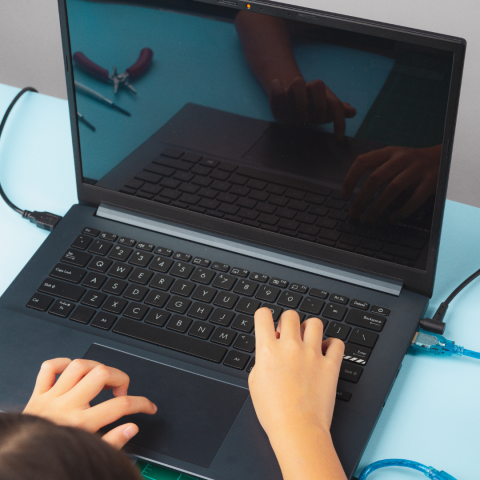
Here at Zeeko, we speak to many schools weekly across Ireland and, in more recent years, across the globe. A topic that has been coming up recently is typing. In today's digital age, proficiency in typing has become an essential skill for students, playing a crucial role in their academic and future professional success. Learning to type efficiently enhances communication and fosters productivity, adaptability, and technological literacy.
Why is typing so important?
- Typing proficiency is essentially the input of information. With the prevalence of digital devices and the internet, students often need to compose essays, take notes, and conduct research online, if not now, definitely in the coming years.
- Mastering typing allows them to effortlessly translate their thoughts into written words, saving time and promoting a more streamlined workflow.
- All careers now involve some level of computer use, and many jobs require employees to navigate digital platforms.
- As technology advances, students with this skill can easily adapt to new devices and software.
- Typing proficiency ensures students are well-equipped for the demands of the 21st-century workforce.
There are several platforms and software to help students learn to type correctly and effectively. We’ve gathered what we know on each of these platforms and presented it below.
Typetastic
Typetastic is a learning platform and software designed to teach students typing skills. It is often used in educational settings, including schools, to help students develop proficiency in keyboarding.
Typetastic offers a gamified approach to typing instruction, making the learning process engaging and interactive for students. The software often includes various typing games, exercises, and lessons to improve typing speed and accuracy. The gamification aspect is intended to make the learning experience enjoyable, motivating students to practice and refine their typing skills.
TypingClub
TypingClub is an online typing tutor and software platform designed to help users, including students and individuals of all ages, learn and improve their typing skills. It offers a comprehensive and interactive approach to touch typing education. It is used to integrate typing instruction into the curriculum. Users can create accounts to track their progress, and educators can manage classes and monitor their students’ typing development.
Typing.com
Typing.com is an online typing tutor platform designed to help users, especially students, learn and improve their typing skills. It provides a user-friendly interface with various features to make the typing learning experience engaging and effective. Follow Zeeko Education on Facebook!
Frequently Asked Questions
1. What does “Typing for Students” mean?
Typing for Students refers to the process of learning keyboard proficiency — including speed, accuracy, and correct technique — that helps students effectively use digital devices for schoolwork, communication, research, and future careers.
2. Why is typing an important skill for students today?
Typing is a vital digital skill because students frequently use computers and online tools for essays, notes, research, and assignments. Being able to type efficiently saves time, improves workflow, and boosts overall productivity.
3. How does learning typing help students academically?
Typing helps students focus more on their ideas and content rather than struggling with writing speed. It enables smoother research, faster note-taking, and better formatting of schoolwork — all of which support academic success.
4. At what age should students start learning to type?
There’s no strict age, but many children begin typing practice once they can recognise letters and basic words. Early introduction helps build familiarity with keyboards, though progress should be paced to match a student’s comfort and cognitive stage.
5. What are some recommended tools or platforms for student typing practice?
The blog highlights several platforms that support typing education, including:
- Typetastic – gamified typing lessons for engagement
- TypingClub – progress tracking and structured instruction
- Typing.com – user-friendly tutor with various learning features
6. Can typing improve digital literacy beyond keyboard skills?
Yes. Learning typing contributes to broader digital literacy, helping students feel confident using technology, adapting to software, and navigating digital learning environments — essential in today’s tech-driven world.
7. How long does it typically take for students to become proficient at typing?
Typing proficiency varies by individual practice and age. Some students may grasp foundational typing within weeks, while others take longer. Consistent practice, ideally through interactive tools and lessons, accelerates improvement.
8. How can teachers or parents support typing development?
Parents and teachers can:
- Incorporate regular typing sessions into study routines
- Use engaging typing platforms that track progress
- Encourage accuracy before speed
- Celebrate milestones to motivate continued learning
9. Does typing practice help with other computer tasks?
Absolutely! Once students master typing, they spend less time on text entry and more time on critical tasks like research, problem-solving in digital environments, and creating professional-looking projects.
10. Are there accessibility options for students with special learning needs?
Yes. Many typing tools offer accessibility features — such as screen-reader compatibility, adjustable fonts, and supportive layouts — to accommodate diverse learning needs and make typing practice inclusive.
Explore Zeeko’s Home Page to discover our mission on the About Us Page, innovative Phone Blocking System, and engaging Phoenix Quest 10 programme. We provide Internet Safety Seminars, the Zeeko Report Card, and the Magical Leaders Choose Country initiative, alongside insights from our Digital Trend Report. Stay connected with us on Facebook and Instagram for updates.